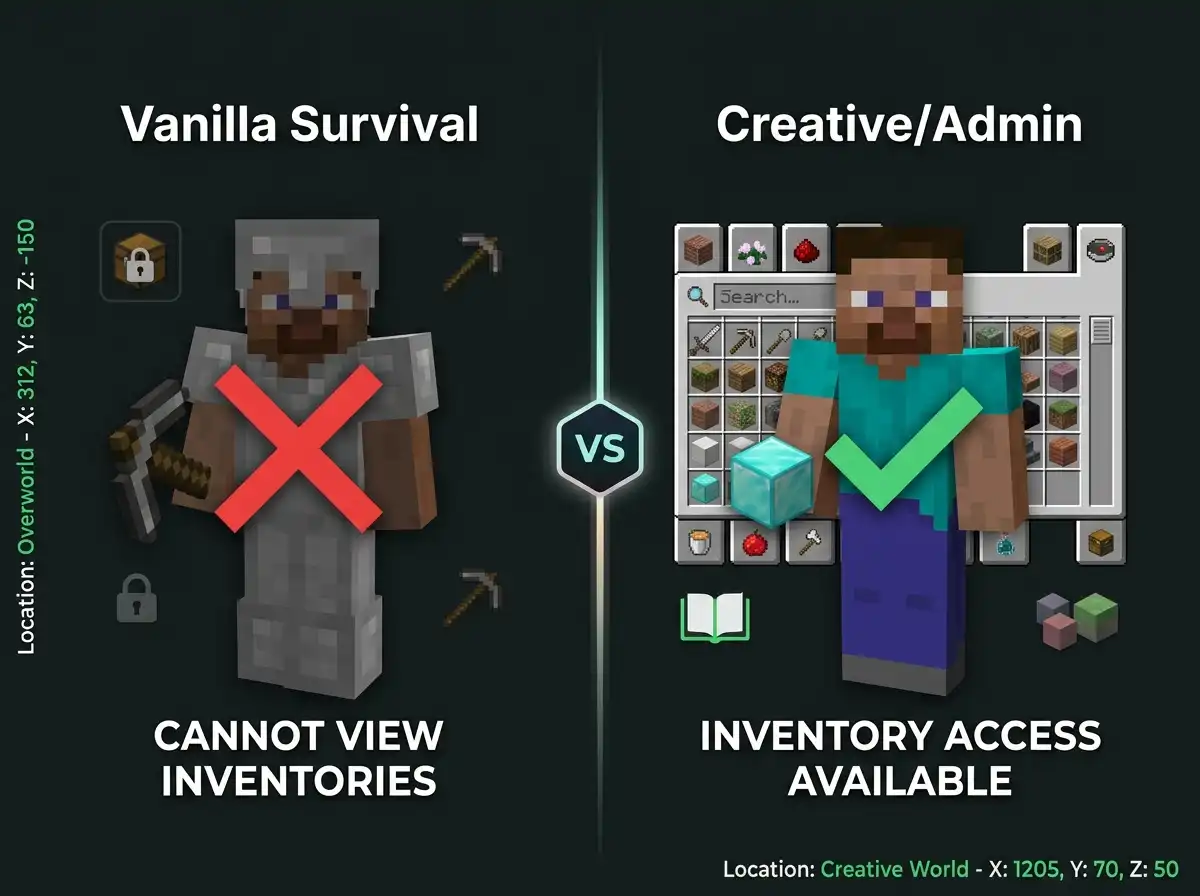
You can’t see other players’ inventories in vanilla Java Edition.
This is intentional for privacy and gameplay balance.
Quick Answer: Seeing Someone’s Inventory in Java Edition
You cannot view another player’s inventory in vanilla Minecraft Java. Survival mode and multiplayer have no built-in feature for this. Creative mode shows nearby players’ inventories if you open their interface. Server mods and admin plugins can enable inventory viewing with appropriate permissions.
Understanding Inventory Privacy in Java
Minecraft Java Edition protects inventory privacy by default.
Regular players cannot access other players’ items.
This prevents griefing and theft on multiplayer servers.
Key inventory mechanics:
- Vanilla survival has no inventory viewing system
- Creative mode allows viewing nearby players
- Mods can enable inventory access
- Server plugins add this feature
- Admin tools exist for moderation
- Spectator mode lets you see items
- No command can force inventory viewing
Inventory privacy is a core game design choice.
Where You Can See Inventories
Creative Mode Viewing
Creative mode allows viewing nearby player inventories.
Open someone’s inventory by clicking their player model.
You’ll see all their items and armor.
This only works in creative mode worlds.
Spectator Mode Access
Spectator mode lets you view player inventories.
You cannot interact with items or take them.
Useful for watching players or monitoring servers.
Requires being in spectator mode first.
Admin and Moderation Tools
Server administrators have inventory access tools.
Admin commands can open any player inventory.
These require server operator status.
Only available to server staff members.
Methods to View Inventories
| Method | Works In | Requirements | Limitations |
|---|---|---|---|
| Creative Mode Click | Creative Worlds | Creative mode enabled | Local or server only |
| Spectator Mode | Any Dimension | Spectator mode access | View only, cannot interact |
| Admin Commands | Servers | Operator status | Server-specific plugins |
| Mods | Single Player | Mod installation | Client-side only |
| Plugins | Multiplayer Servers | Server installation | Admin setup required |
Vanilla survival survival has no legitimate method.
Using Server Plugins for Inventory Access
Popular Server Plugins
Many server plugins add inventory viewing features.
Essentials plugin includes inventory commands.
LiteBans adds moderation inventory tools.
PermissionsEx controls who can use commands.
Installing Inventory Plugins
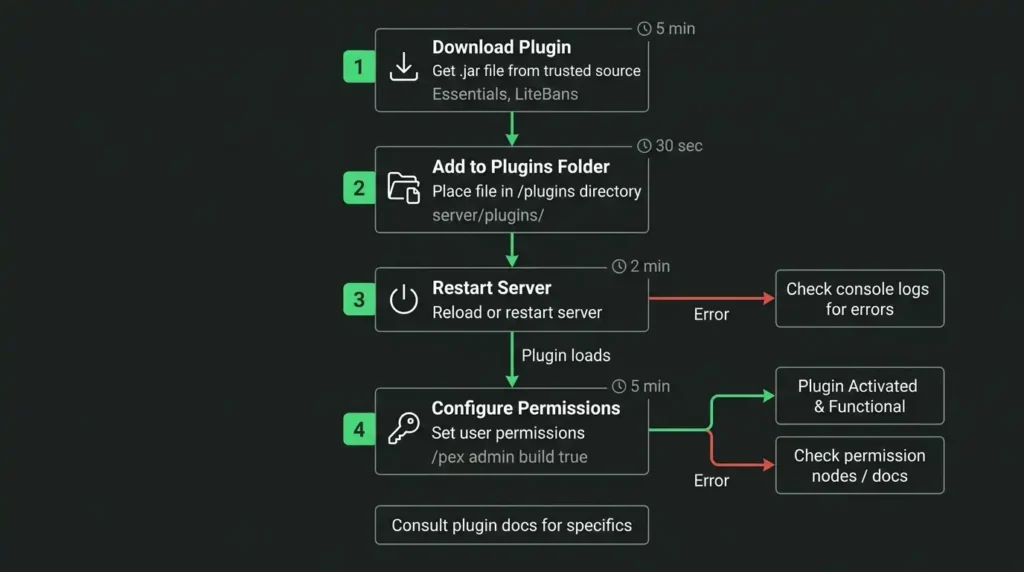
Download plugin files to server plugins folder.
Restart server to load new plugins.
Configure permissions for players or staff.
Test with admin account first.
Permission Configuration
Set permission nodes for inventory access.
Staff usually get full permissions.
Regular players get no access.
Prevent inventory griefing with proper settings.
Mods for Single-Player Inventory Viewing
Popular Inventory Mods
Inventory Profiles mod manages item organization.
More Overlays mod displays inventory information.
Jade mod shows player and entity details.
These are client-side modifications.
Installing Mods Safely
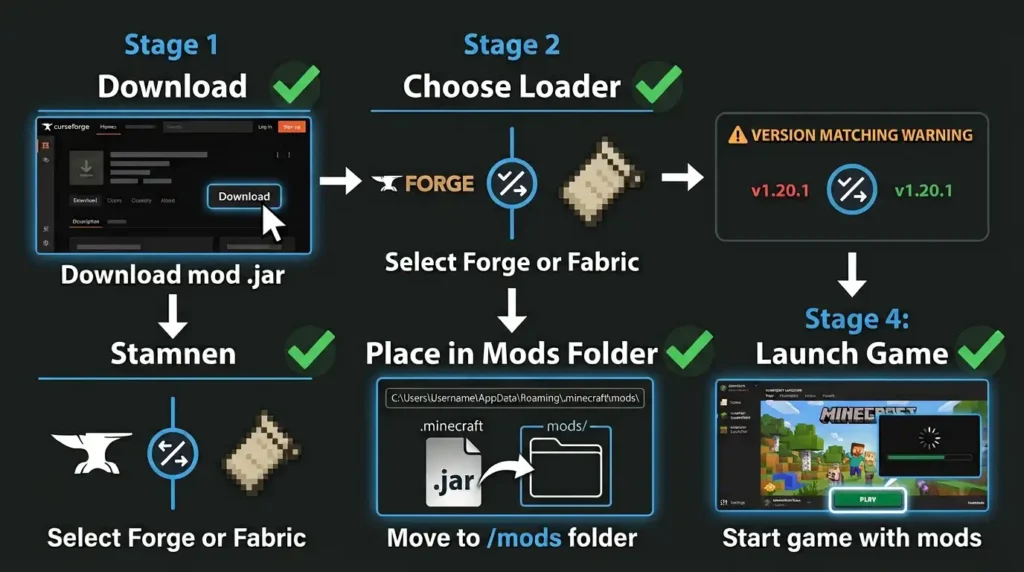
Download mods from trusted sources only.
Use Forge or Fabric mod loader.
Match mod versions to your Java Edition.
Back up worlds before installing mods.
Mod Manager Tools
Curseforge provides easy mod installation.
Modpack managers handle multiple mods.
Launcher software simplifies the process.
Always verify mod compatibility first.
Practical Tips for Inventory Access
When You Need Inventory Access
Server admins monitor suspicious player activity.
Moderators check for contraband items.
Parents monitor children’s game progress.
Trading requires seeing other player items.
Safe Practices for Inventory Viewing
Only use official plugins on servers.
Never share inventory information without permission.
Respect privacy of other players.
Document any items you access.
Common Inventory Viewing Mistakes
Using unauthorized mods on servers.
Accessing inventories without proper permissions.
Spreading information about hidden inventory items.
Modifying other players’ items without consent.
Why Vanilla Has No Inventory Viewing
Privacy protection is intentional game design.
Prevents stealing and harassment of players.
Keeps multiplayer fair and balanced.
Protects younger players from bullying.
Respects player autonomy and security.
Server Rules and Inventory Access
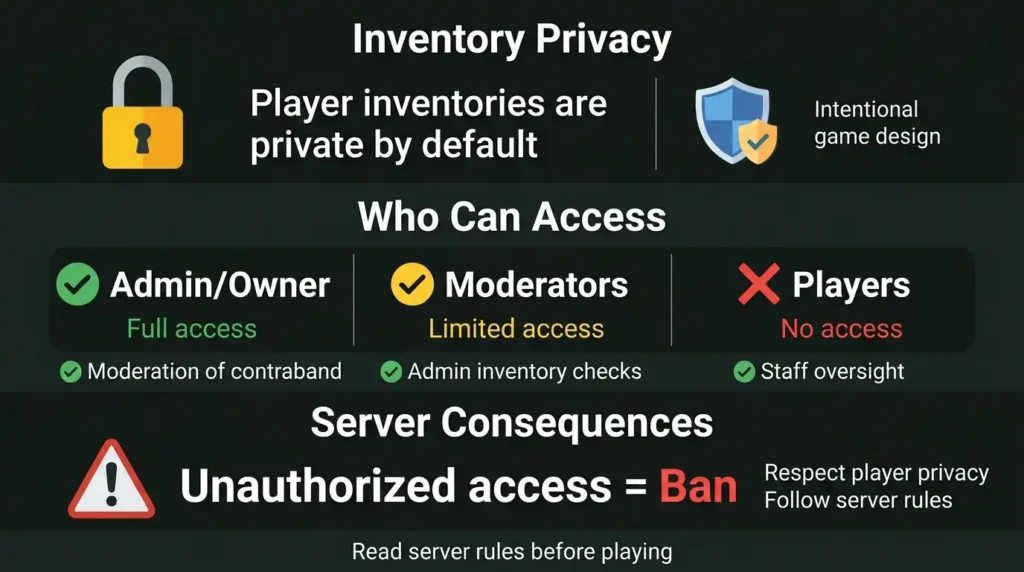
Most servers have strict rules about inventory viewing.
Only admins or moderators can check inventories.
Unauthorized access results in bans.
Some servers disable all inventory viewing mods.
Read server rules before playing.
Why Orefinder Doesn’t Help With This
OreFinder focuses on structure and ore finding in Minecraft.
Inventory management is outside tool scope.
For server administration, use server software.
For single-player mods, use Curseforge or Modrinth.
These are better resources for inventory access.
FAQ
Can you see inventory in vanilla Minecraft?
In vanilla Minecraft Java, you cannot see other players’ inventories in survival mode. Creative mode allows viewing nearby players by clicking them. Spectator mode lets you observe without interacting. No command or built-in feature enables inventory viewing in survival multiplayer.
How do you check someone’s inventory on a server?
Server administrators can use plugins like Essentials to view inventories with commands. You need operator status to access these tools. Most servers restrict this to staff members only. Install a server plugin, set permissions, then use the inventory command on players.
Is it possible to see inventory with mods?
Yes. Single-player mods can show inventory information. Inventory Profiles and Jade mods display item details. Download from Curseforge, install with Forge or Fabric, match your Java Edition version. Servers may ban inventory viewing mods, so check rules first.
Do you get notifications when someone views your inventory?
No. In vanilla Minecraft, players don’t receive notifications. Server mods may add notification systems. Chat logs don’t record inventory viewing. Admins can view without alerting the player.
What mods let you see player inventories?
Jade mod shows entity information including items. Inventory Profiles displays your own inventory better. For other players, use server plugins instead of mods. Single-player mods are client-side only and don’t affect other players.
Respect Player Privacy in Multiplayer
Vanilla Minecraft protects inventory privacy intentionally.
Honor this design choice on multiplayer servers.
Use admin tools responsibly if you’re staff.
Never access inventories without good reason.
Multiplayer trust depends on respect and fairness.
Leave a Reply